
Boot Barn
Boot BarnShopping
4.8741.00 Reviews
- Version
- 4.0.15
- Installs
- 500.00K
- Age Rating
- Everyone
Screenshots

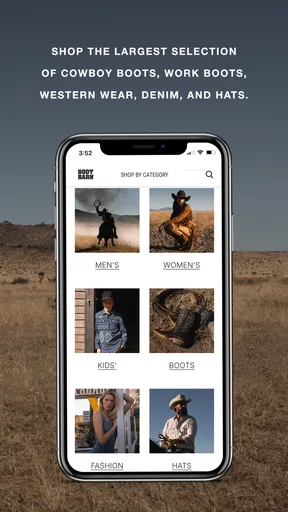

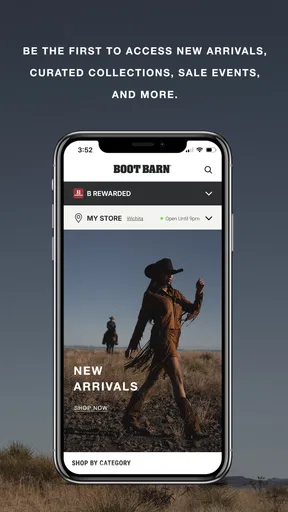
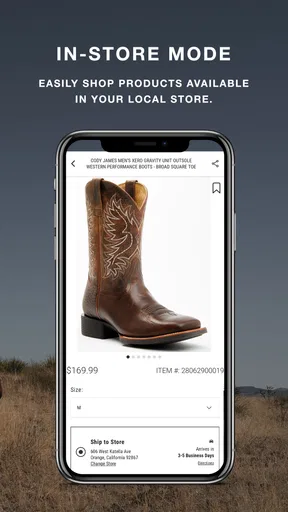

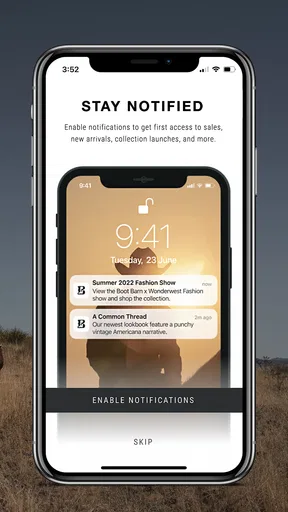
Our Review of Boot Barn
 Analysis by Appyee
When I need western clothing or a serious pair of boots, I would rather begin with a specialist than sort through a general marketplace. Boot Barn is the shopping app from Boot Barn built around that exact starting point: cowboy boots, work boots, hats, clothing, and other western-style gear in one focused catalog. I used it with a practical goal in mind—finding something suitable for everyday wear, not simply browsing attractive product photos—and that made its strengths and weak spots much easier to notice.
The app is free, rated for Everyone, and available on Android devices running version 7.0 or later. It was released on November 11, 2022, and the current version is 4.0.15. Those details matter less than the shopping experience itself, but they make the app approachable for people using an older compatible phone as well as newer devices. Its average rating is 4.8 from around five thousand ratings, and it has passed half a million installs, so it is clearly being used as more than a temporary catalog.
From a vague need to a more focused shopping list
My starting condition was familiar: I knew I wanted western footwear and clothing, but I did not yet know the exact brand, color, shaft height, or material I should choose. This is where a specialist app has an advantage over a broad shopping service. A general marketplace may offer more unrelated products, but it also makes the first decision harder. Boot Barn keeps the visual and product context centered on western fashion and workwear, which helps narrow the search before I become distracted by irrelevant results.
I found the app most useful when I began with a specific purpose rather than an open-ended wish to shop. “A boot for regular outdoor work,” “a hat for a western event,” and “a complete outfit with a western feel” are better starting points than simply searching for something new. The catalog is broad enough to support all three situations, but the right choice depends heavily on use. A stylish boot and a work boot may look related in a thumbnail while behaving very differently during a long day.
The first useful habit is to decide what the item must do before judging how it looks. For boots, I would think about walking, standing, weather, and the type of surface involved. For clothing, I would consider whether the piece needs to layer over another shirt or work as the main statement. For hats, fit and shape can matter more than a small difference in color. The app makes browsing easy, but it cannot make those personal decisions for me.
The strongest part of the experience is the focused starting point. I am not entering a huge store with every category imaginable; I am entering a western and workwear environment. That focus saves time for someone who already knows the general style they want. It is less helpful for a shopper who wants to compare western products with unrelated fashion, sportswear, or budget basics in the same place.
Searching without losing the reason for the purchase
My next step was to move from the broad category to a manageable shortlist. I treated each product page as a checkpoint rather than a final decision. The important questions were simple: Does the item match the intended use? Is the design practical for the rest of my wardrobe? Would I still want it if the product image were less dramatic? This approach prevented the catalog from turning into an endless scroll through attractive but unsuitable choices.
The app works particularly well for shoppers who already understand the vocabulary of western clothing. If I know that I want a particular kind of boot, hat, or shirt, browsing feels purposeful. If I only know that I want “something western,” I need more patience because style preference, fit, and function still require personal judgment. The store’s specialization helps me discover options, but it does not remove the need to interpret them.
One practical technique is to separate discovery from commitment. I would first collect a few plausible items, then compare them based on intended use, outfit compatibility, and likely frequency of wear. This is more reliable than choosing the first product that looks right. It also makes the handoff from browsing to buying less impulsive, especially with footwear, where appearance alone says very little about comfort.
The same method works for a full outfit. I might begin with boots, then consider a shirt or jacket that does not compete with them, and finish with a hat or accessory only if it genuinely completes the look. Because the app is organized around a coherent style, it supports this kind of coordinated shopping better than a general marketplace where every item comes from a different visual world.
The product-page handoff: where browsing becomes a decision
The most important handoff is from the app’s catalog to my own judgment. A product image can show color and silhouette, but it cannot tell me whether a boot will feel right after hours of walking or whether a hat’s shape suits my face. I therefore use the product page to gather the available information, then compare that information with my real circumstances. The app is a useful decision aid, not a substitute for trying something on.
This is also where I would slow down before ordering footwear as a gift. Boot sizing and personal fit are not interchangeable, and a familiar shoe size does not guarantee the same experience in another style. If I were buying for someone else, I would confirm the recipient’s usual preferences and allow extra time for the possibility that the first choice may not work. That is not a criticism unique to this app; it is an unavoidable trade-off of buying boots through a phone.
For clothing, I would use a similar checklist. I would think about the wearer’s usual fit, whether the item is intended for layering, and whether the color works with boots already owned. A western shirt can be the centerpiece of an outfit, but it can also become difficult to wear if it only matches one pair of trousers. The app gives me a concentrated selection; I still need to make the wardrobe connection.
Hats deserve their own caution. They are easy to add to a cart because they complete the visual idea of an outfit, yet they can be more personal than a shirt. Shape, proportion, and comfort matter. I would treat a hat as a considered purchase rather than an automatic accessory, particularly if the goal is regular wear instead of a single event.
A realistic everyday workflow
Imagine I am preparing for a weekend event that calls for western clothing, while also needing footwear that can handle ordinary walking. I would open the app with two separate goals: find a boot that is wearable beyond the event, and build the outfit around it. I would browse boots first, remove options that look too specialized for my routine, and then inspect clothing that works with the remaining choices.
Next, I would create a mental shortlist instead of immediately adding every appealing product. The first handoff is from personal need to category. The second is from category to product details. The third is from product choice to a complete outfit. At each stage, I would ask whether the item solves the original problem or merely looks good in isolation.
If the outfit still feels incomplete, I would consider a hat. If it already works without one, I would skip that extra purchase. This is a small but useful discipline: a specialist catalog can encourage coordinated additions, yet not every coordinated item is necessary. The app is at its best when it helps me make a deliberate purchase, not when it turns a simple need into an oversized basket.
The expected result is a more coherent shopping decision than I might make through scattered searches. I can begin with a vague requirement, explore a relevant range, and finish with items that belong to the same western and workwear context. That flow is especially convenient when I do not have a nearby store visit planned or when I want to research options before deciding in person.
Where the app saves time—and where it does not
Boot Barn saves time by reducing the amount of irrelevant browsing. I do not have to repeatedly explain to a general shopping service that I want cowboy boots rather than fashion boots, or western shirts rather than ordinary casual shirts. The app’s identity is clear from the moment I open it, and that clarity makes the search feel more directed.
It does not save time when I am still uncertain about fit or material. In those cases, I may spend longer comparing products because the consequences of a wrong choice are greater. A quick purchase is not necessarily an efficient purchase if I later discover that the item does not suit my routine. The app can shorten discovery, but careful selection remains my responsibility.
Another trade-off is breadth within a niche. The focused catalog is an advantage for western shoppers, but someone looking for a very specific technical requirement may prefer a retailer dedicated to that exact function. A ranch worker, for example, may need to compare specialized work features across several suppliers rather than choose primarily from a western-fashion environment. Boot Barn is a strong starting point for the overlap between western style and practical workwear, not automatically the final destination for every technical purchase.
How it compares with general marketplaces and physical stores
Compared with a general marketplace, this app feels more intentional. The main benefit is not simply having products in one place; it is having a catalog shaped around a recognizable lifestyle. That makes discovery more pleasant and reduces the effort of filtering out unrelated fashion. It also makes it easier to imagine boots, clothing, and hats as parts of one wardrobe.
A general marketplace may still be better when price comparison across many unrelated sellers is the main priority, or when I need products outside western clothing. It may also offer more variety in adjacent categories. I would choose Boot Barn when relevance and style coherence matter more than having the widest possible shopping universe.
A physical store has the obvious advantage of letting me inspect materials and try on footwear or hats. That matters most for a first purchase, an unusual fit, or an item where comfort is more important than appearance. The app is better for research, repeat shopping, outfit planning, and browsing at my own pace. In practice, I see the two approaches as complementary: use the app to narrow the field, then use a store visit when fit uncertainty is high.
The app also has an advantage over relying only on social media or image searches. Inspiration feeds can show attractive western looks, but they are poor at turning inspiration into a structured shopping decision. Boot Barn keeps the path closer to actual products, which makes it more useful once I have moved beyond mood boards and started deciding what I will really wear.
Small decisions that improve the outcome
My first tip is to shop by occasion and frequency, not only by aesthetic. If I expect to wear a boot once, visual impact may dominate. If I expect to wear it weekly, comfort, versatility, and compatibility with existing clothes deserve more weight. This simple distinction prevents an impressive product from becoming an expensive item that stays in the closet.
My second tip is to build the outfit around the hardest item to replace. For me, that is usually footwear or a hat, because those pieces establish the proportions and mood of everything else. Once that anchor is chosen, clothing decisions become easier. Starting with inexpensive accessories can leave me with a look that has no clear center.
My third tip is to treat the cart as a comparison workspace rather than a promise to buy. I would use it to hold a small group of candidates, then remove items that solve the same problem less effectively. This is particularly useful when several boots appear similar in photographs. The winning choice should have a reason beyond being the first one I noticed.
My fourth tip is to plan for the handoff after purchase. If the item is for an event, I would avoid leaving the decision until the last possible moment. Footwear may need a period of adjustment, and clothing may need coordination with pieces already owned. The app can make ordering convenient, but convenience should not encourage unrealistic timing.
Who will enjoy it, and who should look elsewhere
I would recommend Boot Barn to someone who already likes western style, needs workwear with a western influence, or wants to assemble a coordinated outfit without searching across unrelated stores. It is also a good fit for a returning shopper who knows the kind of boots, clothing, or hats they prefer and wants a focused place to browse.
I would be more cautious recommending it to someone who wants minimalist everyday basics, highly technical outdoor equipment, or the lowest possible price from a broad range of sellers. The app’s specialization is its reason to exist, so it naturally becomes less useful when the shopping goal moves far outside western fashion and workwear.
I would also suggest extra care for anyone buying boots without prior experience with the style. The visual appeal is immediate, but fit and long-term wear are personal. If trying on footwear is essential to your decision, a physical retailer may be the better first step. If you already know your preferred fit or are comfortable researching before ordering, the app becomes much more practical.
My final take after following the full shopping flow
Boot Barn succeeds because it gives a specific kind of shopper a clear route from need to shortlist to coordinated purchase. I like that the experience stays centered on cowboy boots, work boots, clothing, hats, and western fashion instead of forcing me through a general catalog. The free app is easy to justify for anyone who regularly shops in that space, and the strong average rating suggests that many other users find the focused approach worthwhile.
Its limitations are tied to the same specialization. It cannot replace the judgment required for fit, comfort, or technical work needs, and it is not the best choice for shoppers who want an all-purpose marketplace. The result depends on how thoughtfully I use it: browse with a purpose, compare items as parts of a real wardrobe, and leave room for the uncertainty that comes with buying footwear remotely.
My recommendation is straightforward. If you want western clothing or boots and prefer a concentrated shopping experience, I would install it and use it as the first step in the process. Start with the job the item must perform, narrow the options, and only then build the rest of the purchase around it. It is most valuable when you use its focused catalog to make a better decision, rather than treating it as just another place to scroll.
Verdict
Strengths of Boot Barn
- Wide selection of Western clothing, boots, hats, and accessories.
- Detailed product filters make browsing by size, brand, and style easier.
- Product pages include useful sizing, material, and availability information.
- Boot Barn offers exclusive brands and seasonal Western collections.
- Store locator helps users find nearby locations for pickup or shopping.
Limitations of Boot Barn
- Some popular sizes and styles may sell out quickly.
- The app focuses mainly on U.S. shoppers and domestic availability.
- Shipping costs or restrictions may vary by item and destination.
- Large product catalogs can make discovering specific items time-consuming.
- Returns may require checking individual item and order conditions.
Similar Picks in This Category
View All
SHEIN-Shopping Online
Roadget Business PTE. LTD.4.8

Amazon Shopping
Amazon Mobile LLC4.4


Mercado Libre: Compras online
Mercado Libre4.8

Wish: Shop and Save
Wish US Holdings LLC4.7

Alibaba.com - B2B marketplace
Alibaba Mobile4.4
Frequently Asked Questions
What is the Boot Barn app used for?
The Boot Barn app is a mobile shopping companion for browsing and purchasing Western and workwear products. During testing, it was useful for exploring cowboy boots, apparel, hats, accessories, and related gear by category or brand. Users can view product photos, descriptions, available sizes, prices, and promotions, then place orders from an Android or iOS device. It is primarily designed for customers shopping with Boot Barn in the United States.
Can I purchase boots, clothing, and accessories through the Boot Barn app?
Yes, the app allows users to shop for a broad selection of Western, work, and outdoor products, depending on current inventory. You can search for specific items, apply filters, select sizes or colors, add products to a cart, and continue through checkout. Before ordering, carefully review the product details, sizing information, shipping options, and availability because stock and delivery estimates may vary between products and locations.
Does the Boot Barn app offer discounts, rewards, or special promotions?
Boot Barn may display sales, promotional offers, clearance items, and member-related benefits through the app or associated account features. Available deals can change frequently and may include exclusions, minimum purchase requirements, or limited-time conditions. It is worth checking the promotions section and reading the terms before completing an order. Some offers may require signing in, joining a loyalty program, or using a specific promotional code.
Can I find a Boot Barn store or check whether an item is available locally?
The app can help users locate nearby Boot Barn stores and may provide store-related information such as addresses, opening hours, and contact details. Depending on the product and location, customers may also be able to review local availability or choose a pickup option when offered. Inventory information is not always guaranteed to be perfectly up to date, so contacting the store directly can be helpful before making a special trip.
Is the Boot Barn app safe to use for shopping and payments?
The official Boot Barn app is intended for shopping through the company’s digital storefront, including account management, order tracking, and online checkout. For safety, download it only from the official Google Play Store or Apple App Store, verify that the developer is Boot Barn, and keep your device updated. Avoid sharing account credentials through messages or unofficial links, and review the final order total before confirming payment.
